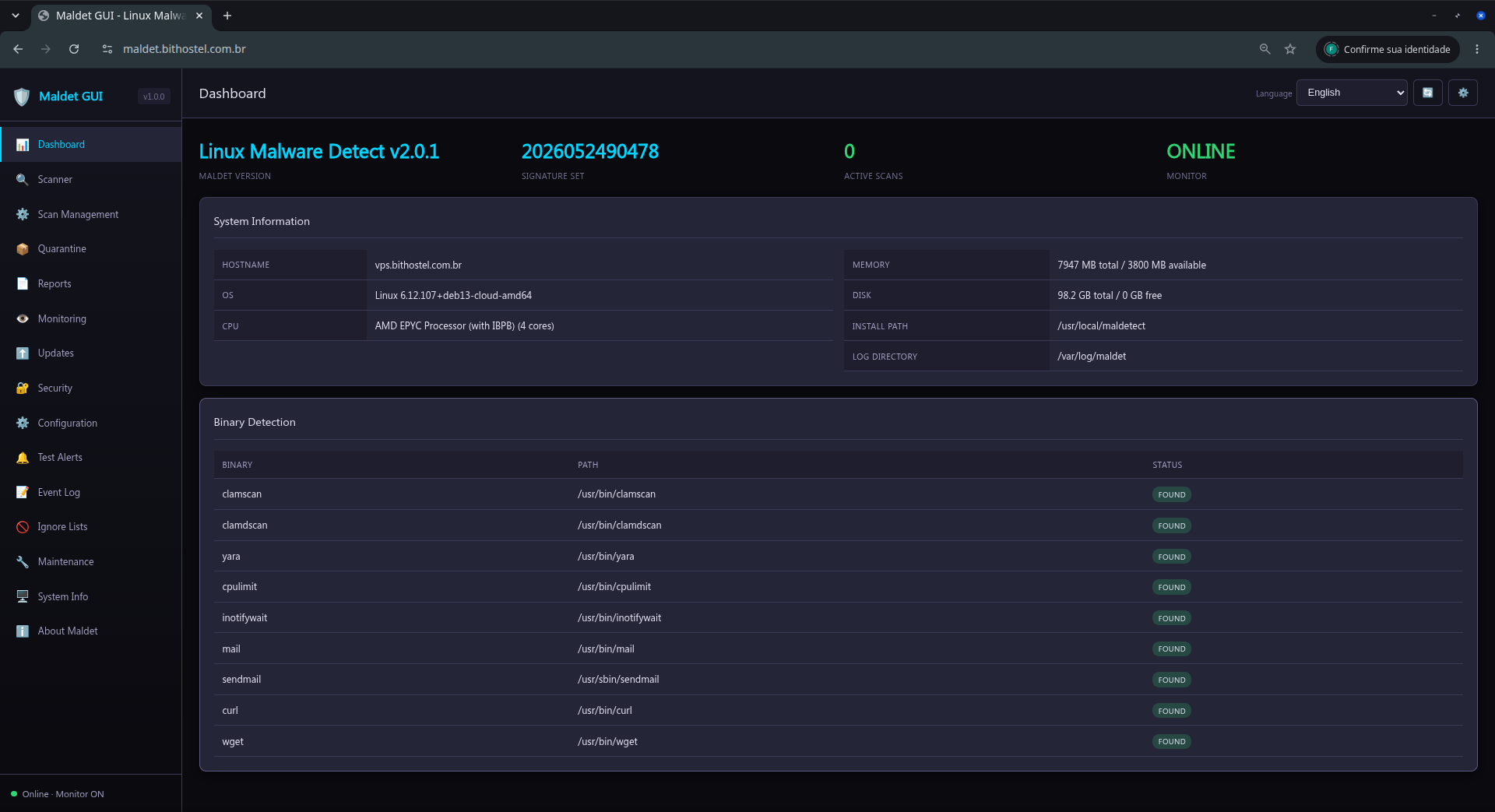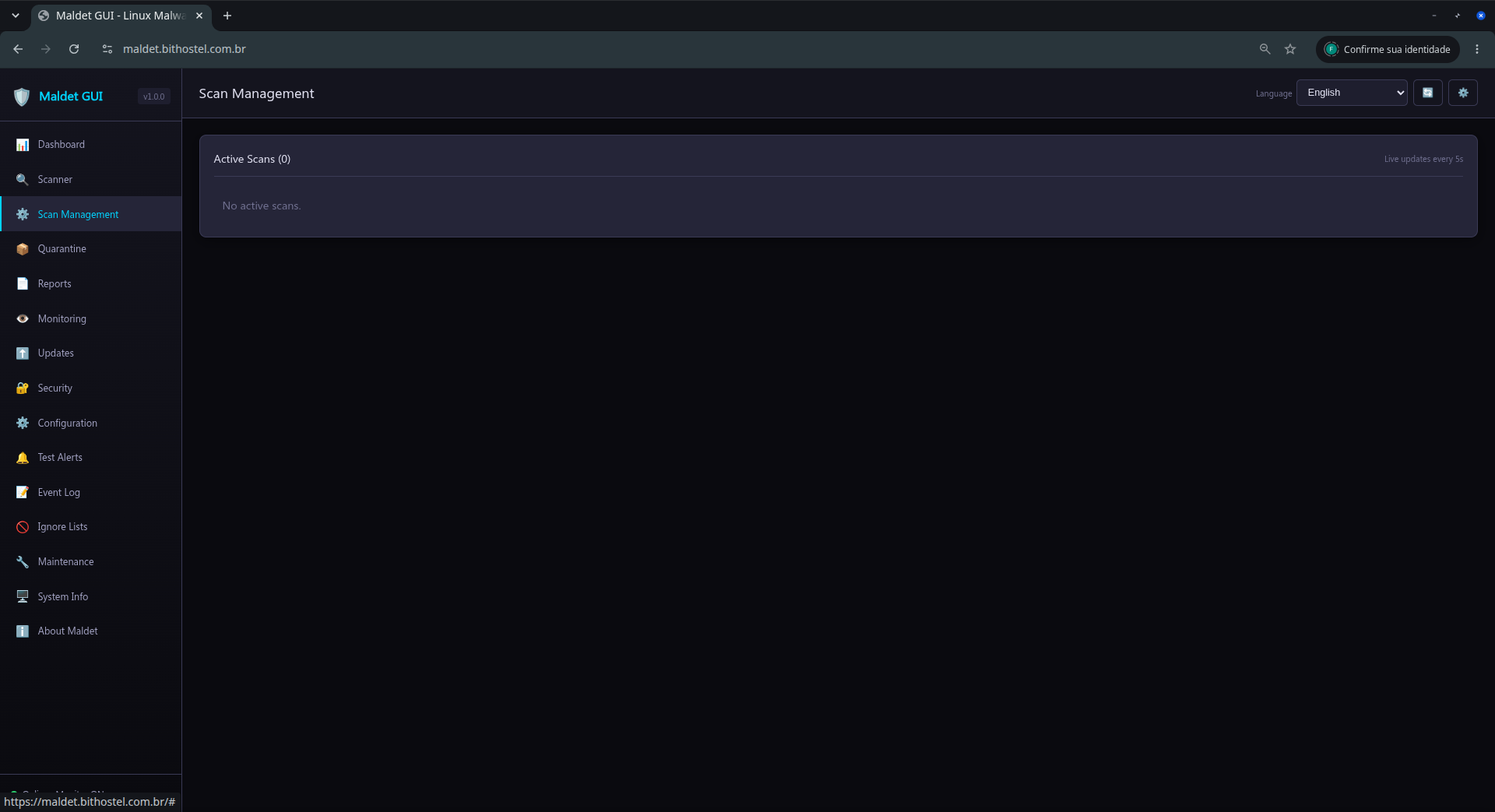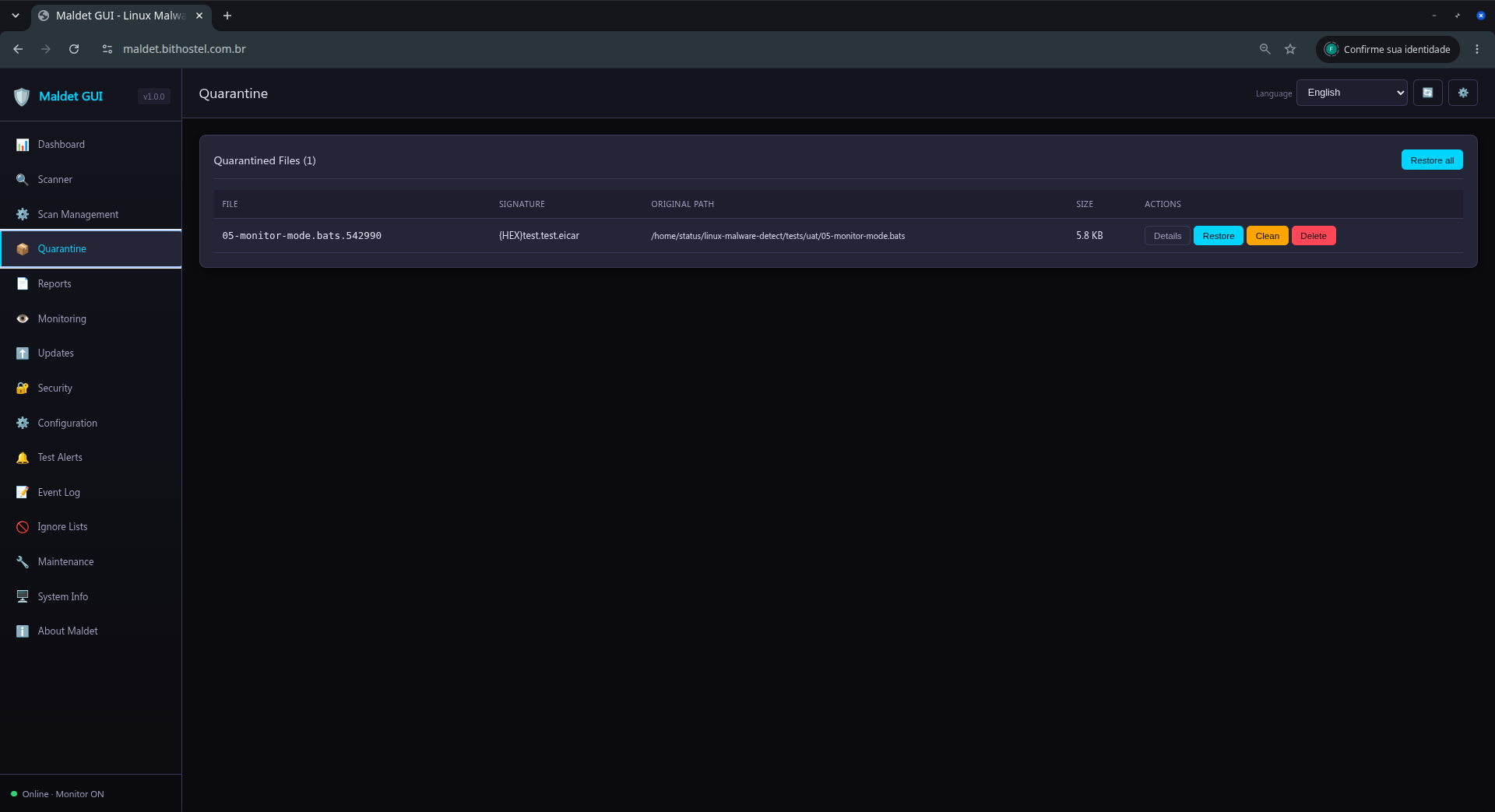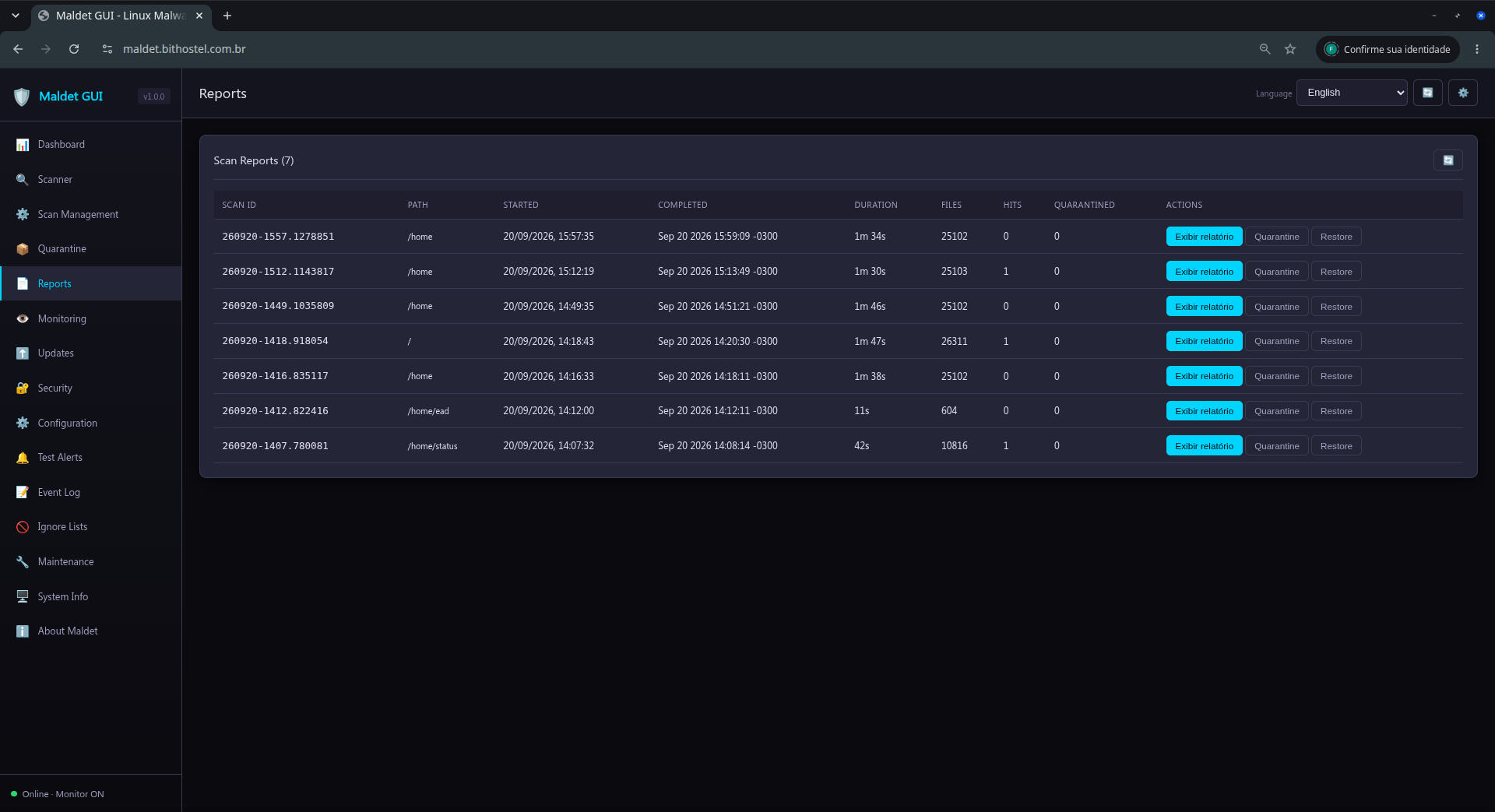
By default, maldet is a tool operated exclusively via the command line (terminal). What Bithostel TI does by deploying maldet-gui is deliver a web-based graphical user interface (WebGUI) so that you, or your team, do not need to memorize terminal commands to keep the server protected.

Why is Maldet so widely used on Linux servers?
Unlike traditional antivirus software that looks for threats targeting end-users (like flash drive or Windows viruses), maldet was designed specifically for hosting environments and server threats. It uses real-world network edge threat data to identify:

Web Shells: Scripts in PHP, Perl, or Python that hackers upload to the server to control it remotely.
SPAM Injection: Malicious codes hidden in websites (very common in WordPress installations) used to send out mass emails.
System Backdoors: Backdoors opened by attackers after exploiting a vulnerability (such as outdated plugins).
It often works in conjunction with ClamAV as the scanning "engine" (since ClamAV is extremely fast at reading files), but using LMD's specialized signatures.

Advantages of Bithostel's "maldet-gui" Service
The professional installation that includes a web interface solves maldet's biggest problem: usability. With this service, day-to-day operations become visual and simplified:

Dashboard (Centralized Panel): Allows you to see the server status, when the last scan was performed, and if any threats were detected, all on a single screen through the browser.
One-Click Scans: You can start a scan in a specific directory (like the /var/www/ folder of a website) just by clicking buttons, without needing to connect via SSH.
Quarantine and Logs Management: When an infected file is found, maldet can automatically move it to quarantine. Through the WebGUI, you can view the list of isolated files, read the reports (logs), and decide whether you want to permanently delete the file or restore it (in case of a false positive).
Visual Scheduling: Easy configuration (via integrated cron jobs in the interface) for automatic daily or weekly scans.
If you are looking to hire this service from Bithostel, it is an excellent addition to ensure application security, especially if your Linux server hosts client websites, databases, or web systems exposed to the internet.

Website
https://maldet-gui.bithostel.com.br/

O maldet é, por padrão, uma ferramenta operada exclusivamente via linha de comando (terminal). O que a bithostel TI faz ao implantar o maldet-gui é entregar uma interface gráfica baseada na web (WebGUI) para que você, ou a sua equipe, não precise decorar comandos de terminal para manter o servidor protegido.

 
Por que o Maldet é tão utilizado em servidores Linux?
Diferente dos antivírus tradicionais que buscam ameaças focadas em usuários finais (como vírus de pendrive ou de Windows), o maldet foi desenhado especificamente para as ameaças de ambientes de hospedagem e servidores. Ele usa dados de ameaças reais de ponta a ponta na rede para identificar:

Web Shells: Scripts em PHP, Perl ou Python que hackers sobem no servidor para controlá-lo remotamente.
Injeção de SPAM: Códigos maliciosos ocultos em sites (muito comum em instalações WordPress) usados para disparar e-mails em massa.
Backdoors de Sistema: Portas dos fundos abertas por atacantes após explorarem alguma vulnerabilidade (como plugins desatualizados).
Ele frequentemente atua em conjunto com o ClamAV como "motor" de varredura (já que o ClamAV é super rápido para ler os arquivos), mas usando as assinaturas especializadas do LMD.

As Vantagens do Serviço "maldet-gui" da bithostel
A instalação profissional que inclui uma interface web resolve o maior problema do maldet: a usabilidade. Com esse serviço, as operações do dia a dia ficam visuais e simplificadas:

Dashboard (Painel Centralizado): Permite ver o status do servidor, quando foi a última varredura e se há alguma ameaça detectada, tudo em uma única tela pelo navegador.
Execução de Scans com Um Clique: Você pode iniciar uma varredura em um diretório específico (como a pasta /var/www/ de um site) apenas clicando em botões, sem precisar conectar via SSH.
Gestão de Quarentena e Logs: Quando um arquivo infectado é achado, o maldet pode movê-lo para a quarentena automaticamente. Pela WebGUI, você consegue visualizar a lista de arquivos isolados, ler os relatórios (logs) e decidir se quer excluir o arquivo permanentemente ou restaurá-lo (caso seja um falso positivo).
Agendamento Visual: Facilidade para configurar (via cron jobs integrados na interface) verificações diárias ou semanais automáticas.
Se você está buscando contratar este serviço com a bithostel, é uma excelente adição para garantir a segurança da aplicação, especialmente se o seu servidor Linux hospeda sites de clientes, bancos de dados ou sistemas web expostos à internet.

Website:
https://maldet-gui.bithostel.com.br/
Sep 24 2026 18:44:33 vps.bithostel.com.br maldet(90965): {scan} launching scan of /home to background, see /var/log/maldet/event_log for progress
Sep 24 2026 18:44:33 vps.bithostel.com.br maldet(90965): {lifecycle} cleanup: removed stale meta for scan 260922-1746.2491957
Sep 24 2026 18:44:33 vps.bithostel.com.br maldet(90965): {scan} compiling 48,799 signatures (hash hex csig yara)...
Sep 24 2026 18:44:34 vps.bithostel.com.br maldet(90965): {scan} signatures ready in 1s: 48,799 (42,634 SHA | 2,373 HEX | 86 CSIG | 3,706 YARA | 0 USER)
Sep 24 2026 18:44:34 vps.bithostel.com.br maldet(90965): {scan} building file list for /home, this might take awhile...
Sep 24 2026 18:44:34 vps.bithostel.com.br maldet(90965): {scan} setting nice scheduler priorities for all operations: cpunice 19 , ionice 6
Sep 24 2026 18:44:34 vps.bithostel.com.br maldet(90965): {scan} executed /usr/bin/nice -n 19 /usr/bin/ionice -c2 -n 6 /usr/bin/find /home /tmp /var/tmp /dev/shm /var/fcgi_ipc -path /usr/local/maldetect -prune -o -maxdepth 15 -regextype posix-egrep -type f -size +24c -size -10240k -not -perm 000 -not -uid 0 -not -gid 0
Sep 24 2026 18:44:35 vps.bithostel.com.br maldet(90965): {scan} file list completed in 1s, found 26677 files...
Sep 24 2026 18:44:35 vps.bithostel.com.br maldet(90965): {scan} native engine: 8 workers, sha256 hashing (hardware sha256-ni)
Sep 24 2026 18:44:35 vps.bithostel.com.br maldet(90965): {scan} stages: sha256 hash, hex+csig, yara
Sep 24 2026 18:44:35 vps.bithostel.com.br maldet(90965): {scan} scan of /home (26677 files) in progress...
Sep 24 2026 18:45:05 vps.bithostel.com.br maldet(730): {mon} filtered 2 event(s) — none passed scan filter
Sep 24 2026 18:45:33 vps.bithostel.com.br maldet(90965): {scan} [hex+csig] 18500/26677 files (69%) | elapsed 53s | eta ~23s | 0 hits 0 cleaned
Sep 24 2026 18:45:50 vps.bithostel.com.br maldet(730): {mon} filtered 2 event(s) — none passed scan filter
Sep 24 2026 18:46:09 vps.bithostel.com.br maldet(90965): {yara} starting native YARA scan stage...
Sep 24 2026 18:46:14 vps.bithostel.com.br maldet(90965): {yara} native YARA scan stage completed
Sep 24 2026 18:46:14 vps.bithostel.com.br maldet(90965): {scan} scan completed on /home: files 26677, malware hits 0, cleaned hits 0, time 101s
Sep 24 2026 18:46:14 vps.bithostel.com.br maldet(90965): {scan} scan report saved, to view run: maldet --report 260924-1844.91019

This guide presents the basic workflow of the Linux Malware Detect (Maldet) Web interface. The screenshots show the interface in English.

1. Access and dashboard

Open the URL configured by the administrator (by default, http://127.0.0.1:8080). On the Dashboard, check the Maldet version, signature set, active scan count, monitor status, and server resources.


The dashboard also reports available binaries, including clamscan, clamdscan, yara, and inotifywait. A FOUND status means the component was detected.

2. Run a scan

Open Scanner in the side menu.
Enter the directory to analyze.
Select the scan type and configure exclusions if needed.
Start the scan and note the generated scan ID.


Background scans appear in Scan Management.

3. Monitor and control scans

Scan Management lists processes that are actually running, their PIDs, state, and progress. Use Pause, Continue, or Stop as needed. Use Kill only when a process is unresponsive.


After a scan finishes, open Reports to review its result. A process that no longer exists must not remain counted as active; refresh the page if the server was restarted or the connection was interrupted.


4. Quarantine and reports

Quarantine lists files isolated by Maldet. Restore an item only after confirming that it is legitimate. Use bulk operations carefully.


In Reports, select a scan to review analyzed files, detections, actions, and completion time.


5. Monitoring and updates

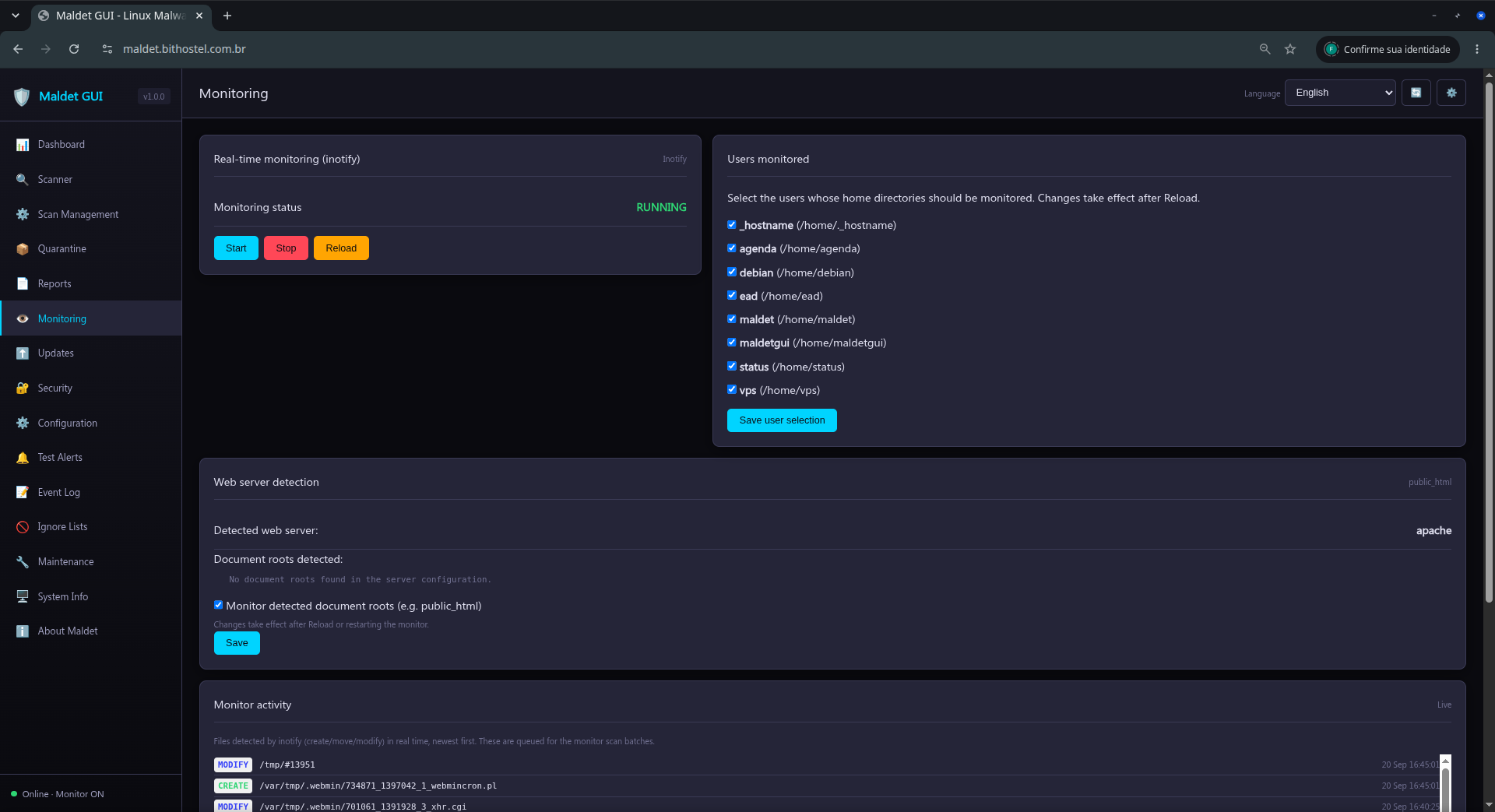
Monitoring controls the inotify monitor and the watched paths. Use this page to start, stop, or reload monitoring.


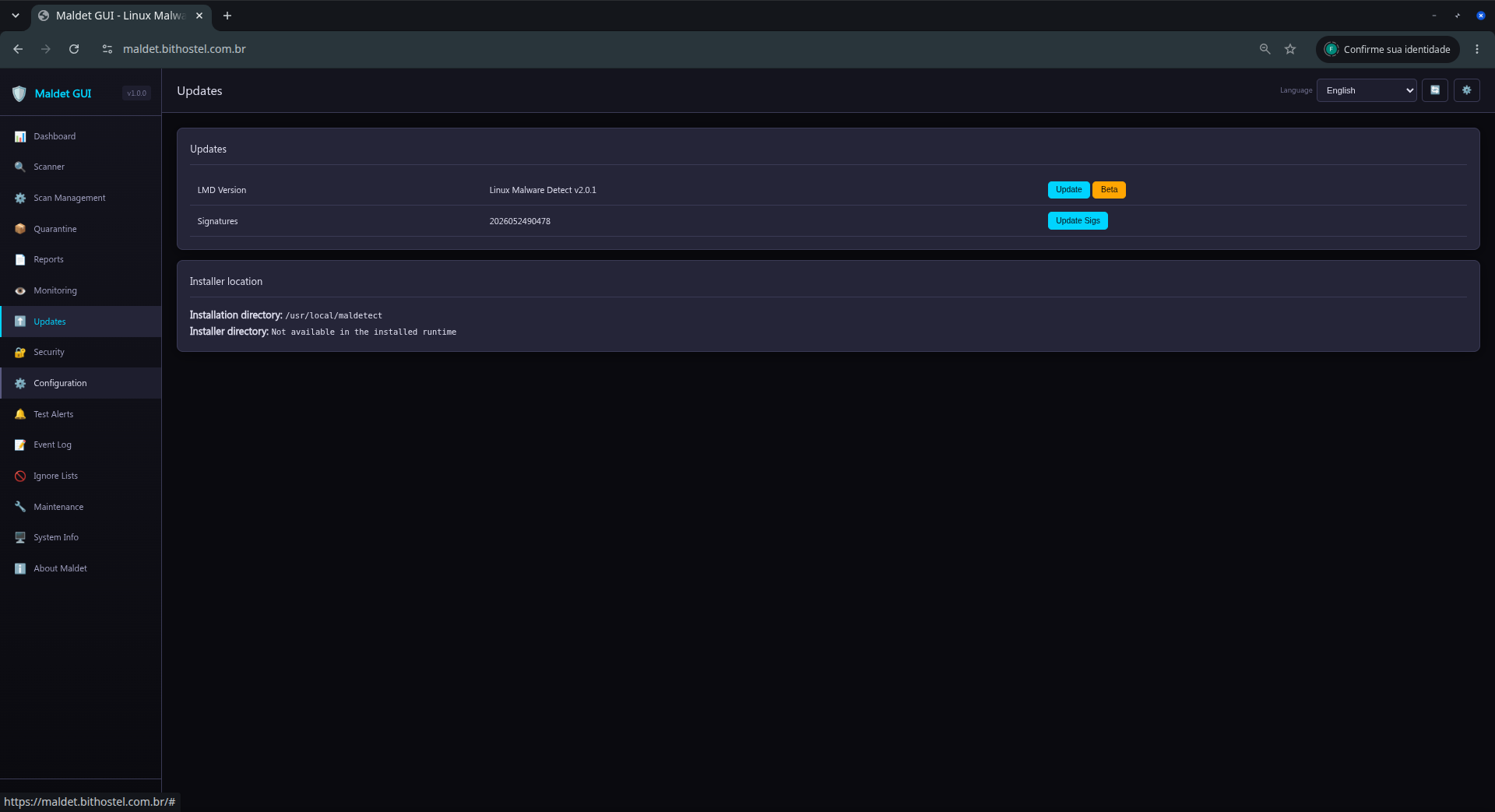
In Updates, update Maldet signatures and, when available, the ClamAV database. Wait for the completion message before closing the page.


6. Security, configuration, and alerts

Use Security to review and adjust access controls. In Configuration, change only known options; worker, CPU/IO limit, engine, and alert changes may significantly affect server resource usage.


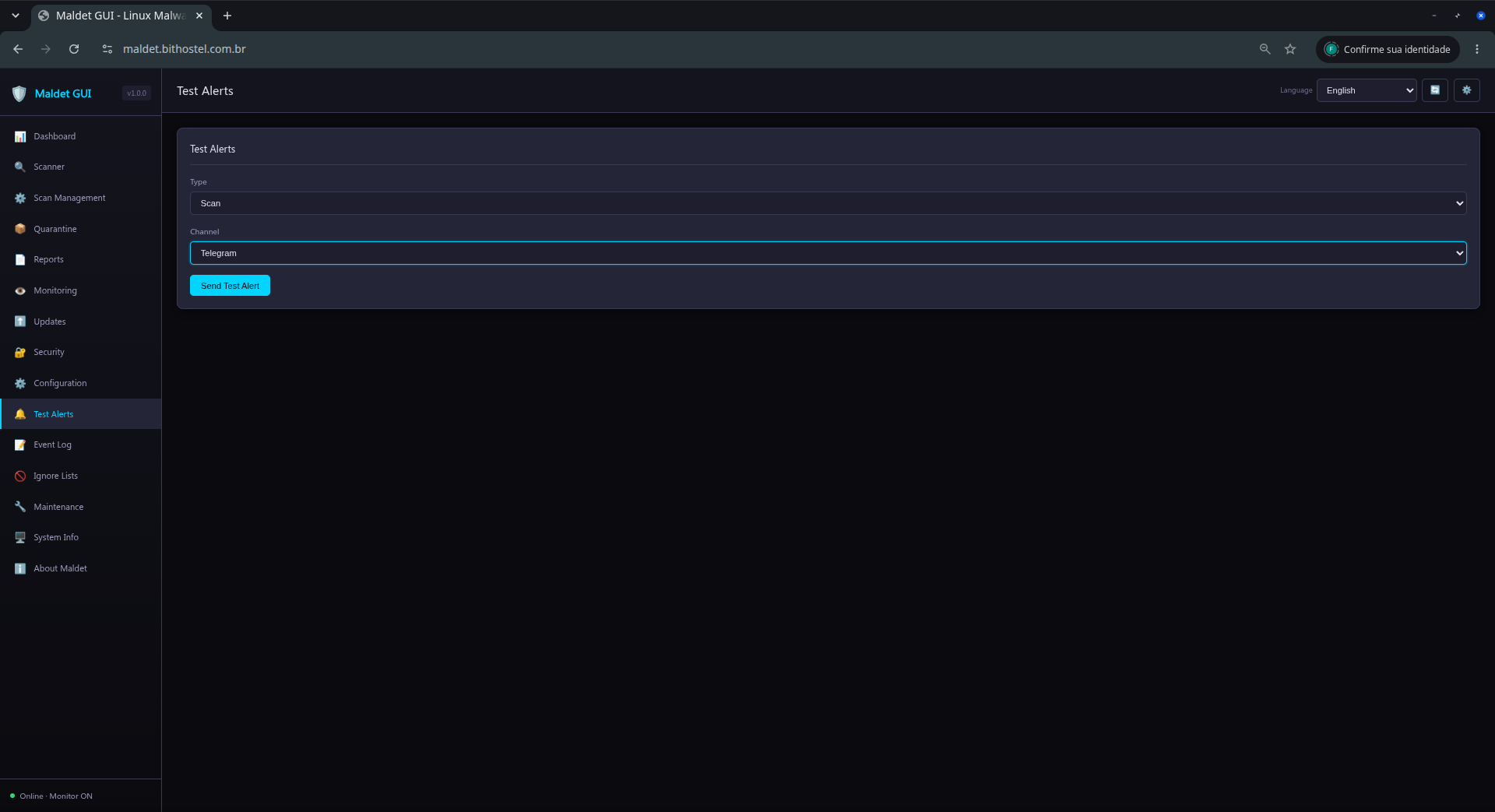
In Test Alerts, select a channel and send a test notification. Never include tokens or passwords in screenshots, logs, or support requests.


7. Logs, ignore lists, and maintenance

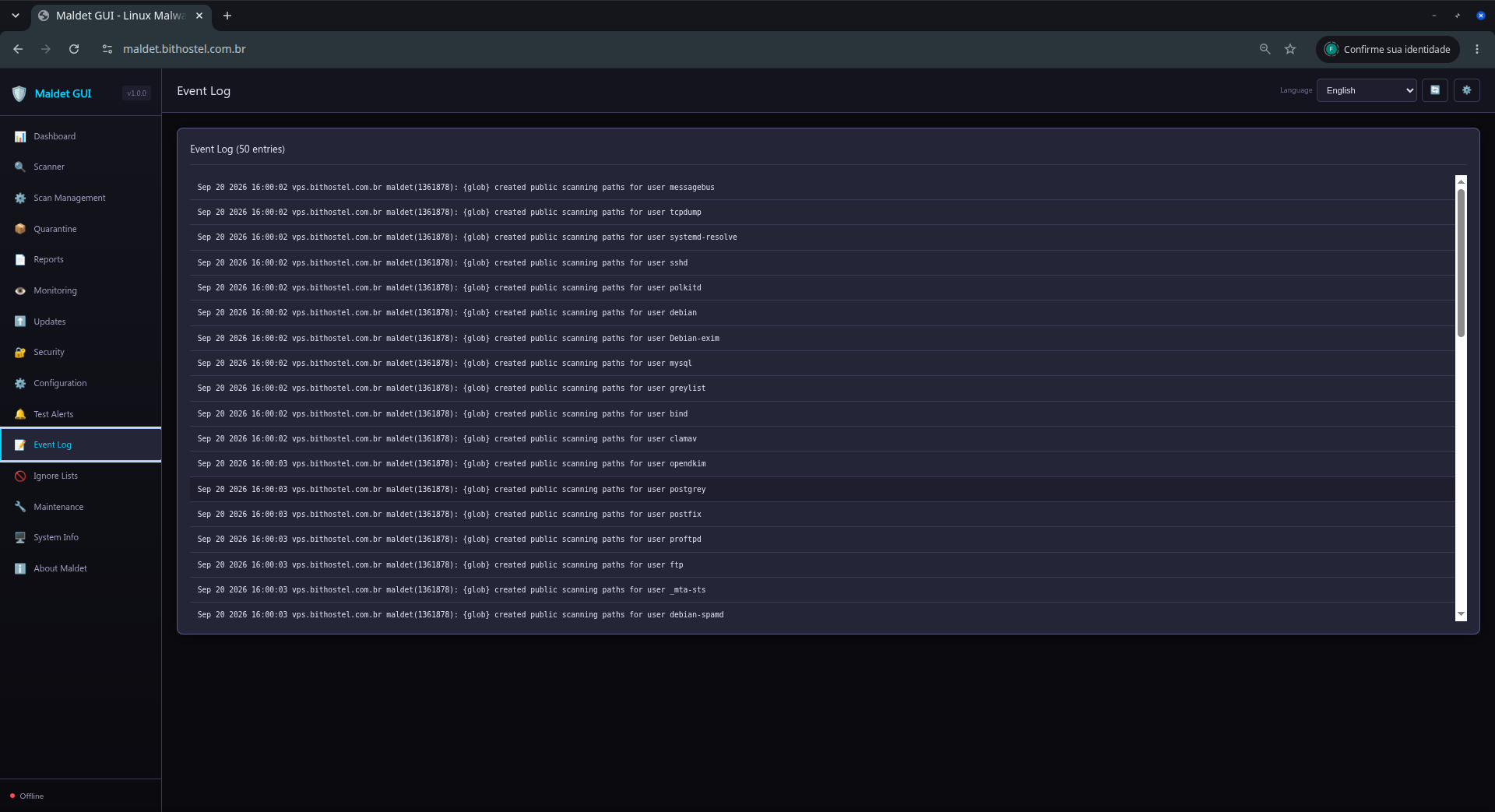
The Event Log helps diagnose scan starts and completion, alerts, errors, and updates.


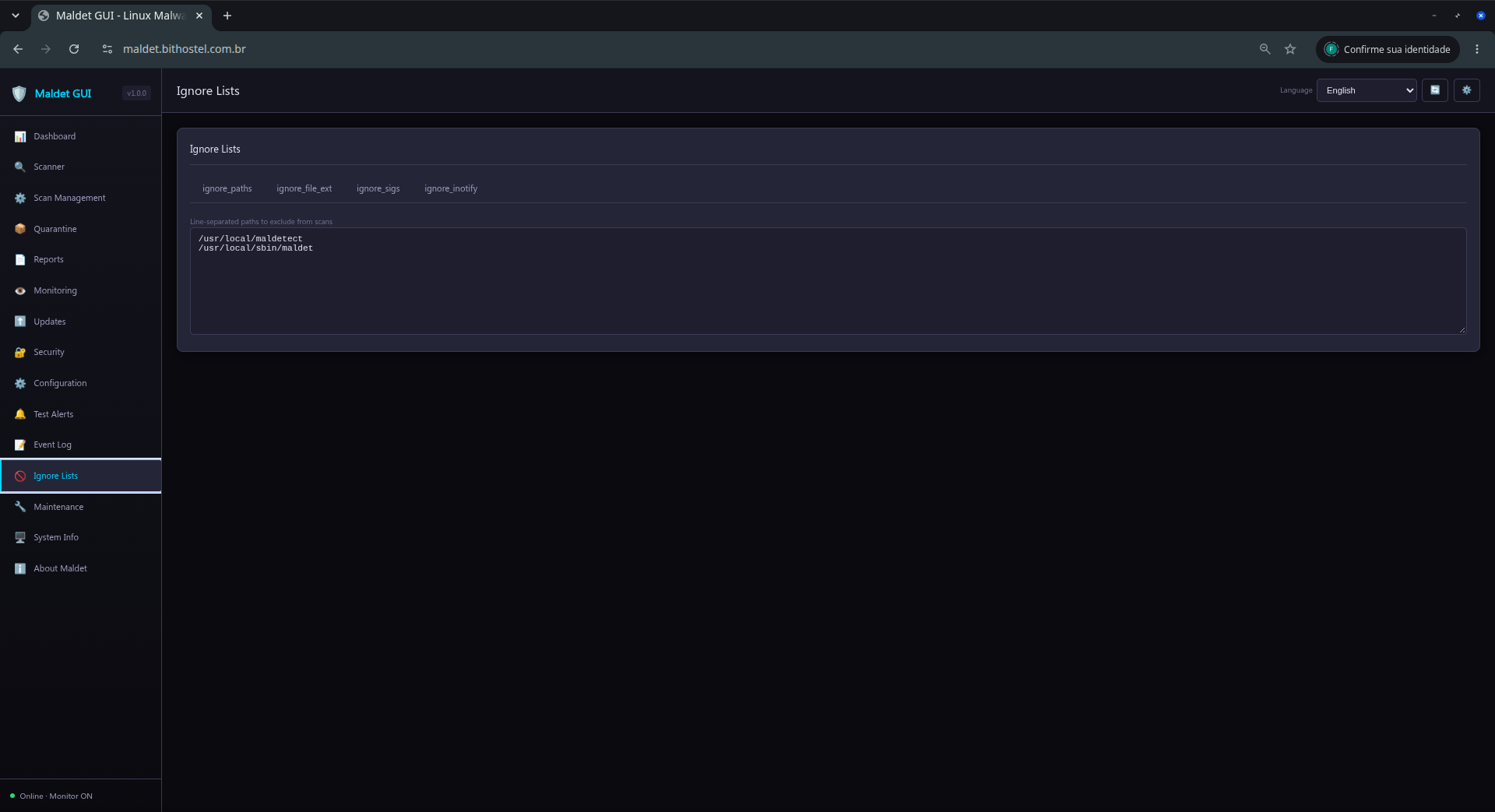
Use Ignore Lists for paths, extensions, or specific rules. Prefer narrow rules so that valid detections are not hidden.


Maintenance organizes history files, removes stale metadata, compresses old sessions, and archives older sessions. It does not start scans or automatically remove legitimate files from quarantine.


8. System information and troubleshooting

System Info shows the hostname, operating system, CPU, memory, disk, installation paths, and detected commands. Use this information when investigating a failure or requesting support.


If the interface remains on a loading screen, perform a hard refresh (Ctrl+F5), check /api/check, and review the launcher log. For remote access, use a reverse proxy with authentication and TLS; do not expose the GUI port directly to the Internet.


https://rfxn.com/projects/linux-malware-detect

Order-of-magnitude faster shell-native malware scanning for Linux

Linux Malware Detect (LMD) is a high-performance malware scanner for Linux designed around the threats faced in shared hosted environments. v2.0.1 represents a complete architectural overhaul, introducing a batch-parallel scanning engine that delivers order-of-magnitude performance gains over traditional security tools.

The scanner leverages hardware-accelerated SHA-256 (SHA-NI) and Aho-Corasick string matching to identify web shells, injected backdoors, and obfuscated payloads at wire speed. By short-circuiting matches at the hash layer, LMD avoids unnecessary content scanning, providing a massive reduction in I/O and CPU overhead.

By using threat intelligence derived from network edge intrusion detection systems, LMD generates signatures for malware that is actively being used in real-world attacks. These signatures are easily exported to ClamAV, providing a layered defense-in-depth approach for production Linux servers.